![Lumin_logo_header (1).svg]](https://help.luminpdf.com/hubfs/Lumin_logo_header%20(1).svg)
- Click the Share button in the Lumin editor.

- Click the Settings icon and you'll find the Bulk update permissions area.
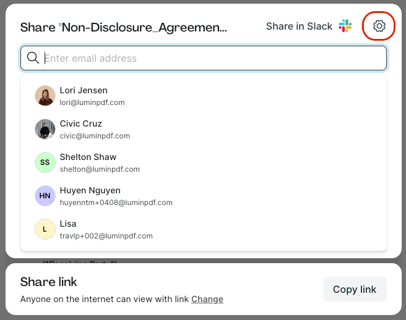
- Select the group of collaborators you wish to bulk update.
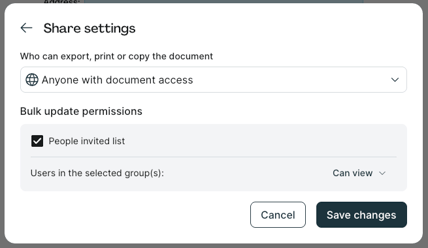
- Then, select the new permission level next to Users in the selected group(s).
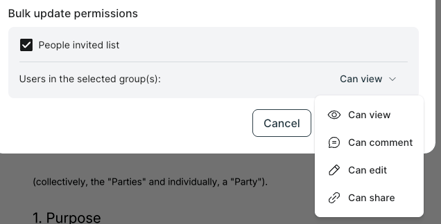
- Finally, click Save changes.
Sharing Permissions Comparison:
- Can view: Members can only view documents, and cannot make edits or share.
- Can vomment: Members can view and make comments but cannot make annotations or share.
- Can edit: Members have full editing and annotation permissions but cannot share the document with anyone else.
- Can share: Members have full editing and sharing permissions.