![Lumin_logo_header (1).svg]](https://help.luminpdf.com/hubfs/Lumin_logo_header%20(1).svg)
- Log in to your Lumin account.
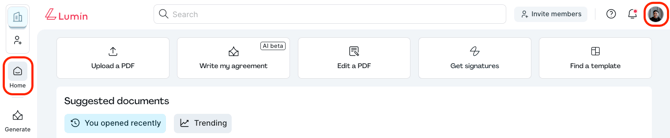
- From the Lumin home page, click on your profile icon located in the top right corner.
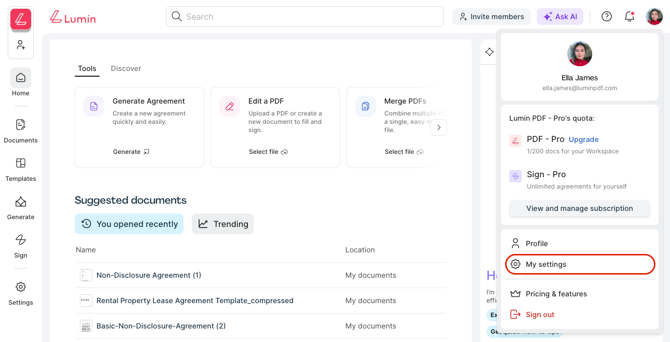
- Then, select My Settings.
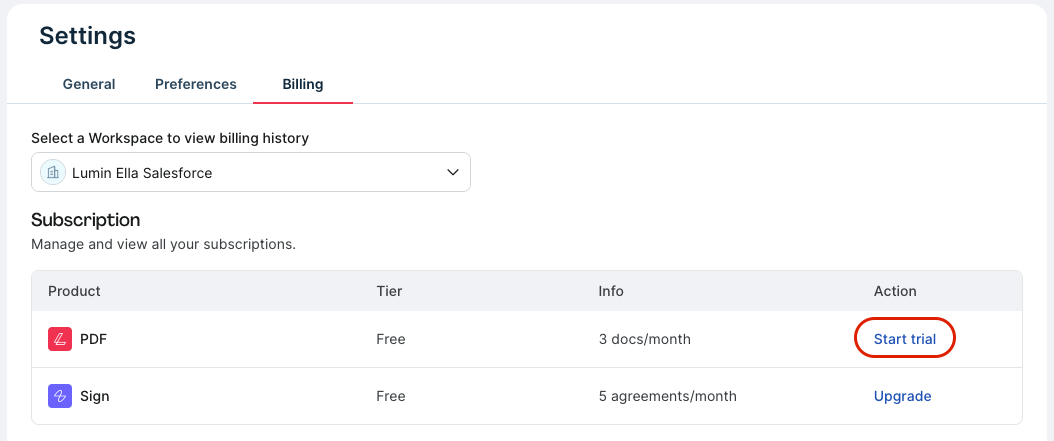
- In the Billing tab, click on Start trial to view the available options.
- Choose the plan you wish to upgrade to from the available options.
- Then, select Purchase now.
- Add your payment details as required.
- Finally, select Complete purchase.
WARNING: If you enroll in a 7-day free trial, please note that your subscription will automatically renew at the end of the trial period, and you will be billed the subscription fee for the plan you selected. You can cancel at any time before the trial period ends if you don’t wish to be charged.
To view all of our plan options, see our Pricing page here.