![Lumin_logo_header (1).svg]](https://help.luminpdf.com/hubfs/Lumin_logo_header%20(1).svg)
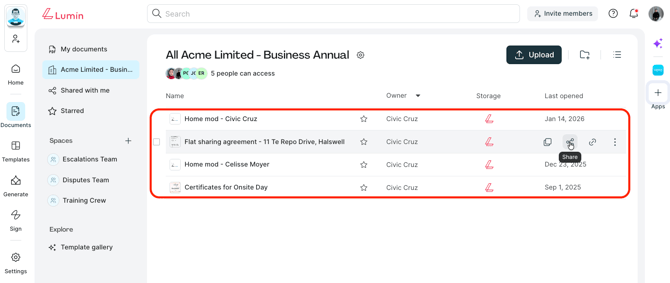
- In your Workspace or personal documents, hover your mouse over the document you want to manage permissions for and click Share.
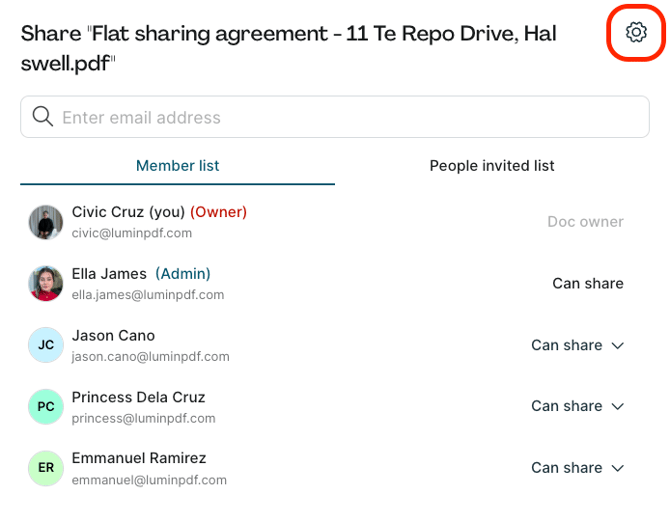
- Then, click the cog on the top right corner.
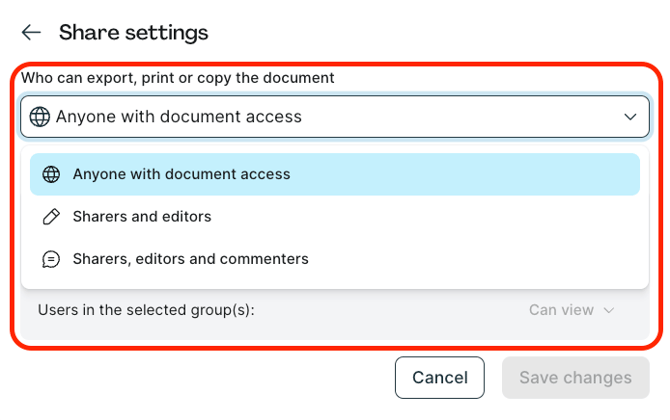
- Select who can export, print, or make copies of the document. You can choose from:
- Anyone with document access
- Sharers and editors
- Sharers, editors and commenters
This setting controls whether users can:
- Copy the document
- Download the document
- Print the document
- Save the document as a template
- Select the document to be merged into another document
- Send the document to Lumin Sign
- Make the document available offline