- In Lumin, select Generate.
- Enter your prompt in the field.
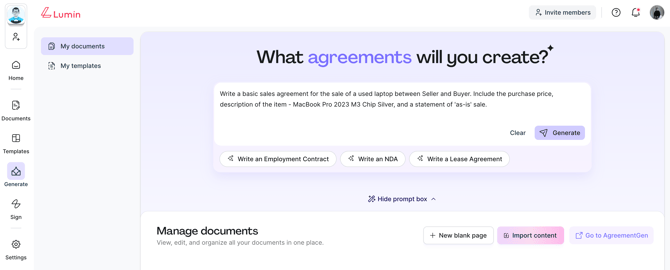
- Then, click Generate.
- Lumin's AI will generate the content and open the agreement editor. You can dynamically edit, review and refine the generated content.
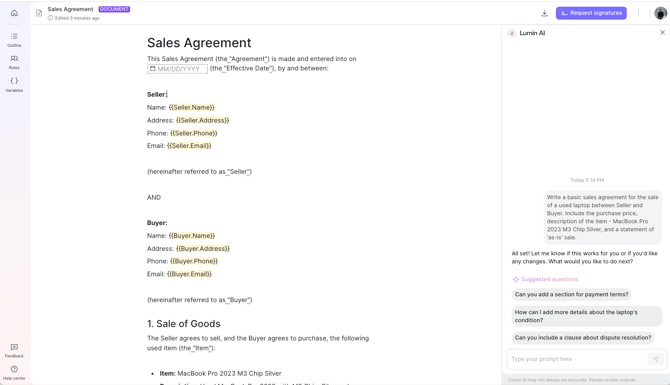
- Use the AI chatbot on the right to revise the content or add new clauses. You can also insert text fields, signature fields, images, and more by selecting the + button or using the / keyboard shortcut.
- Once you've reviewed the agreement, you can download the document or send it for signature(s).
English
![Lumin_logo_header (1).svg]](https://help.luminpdf.com/hubfs/Lumin_logo_header%20(1).svg)